Vector is a project board for a single developer. It tracks the specs you build with Claude Code and shows them on a kanban, where each idea is a card that moves through states as the work progresses. It’s not a team tool, and it doesn’t try to replace Jira. It sits next to whatever tracker your team already uses.
It links to Jira, it doesn’t compete with it
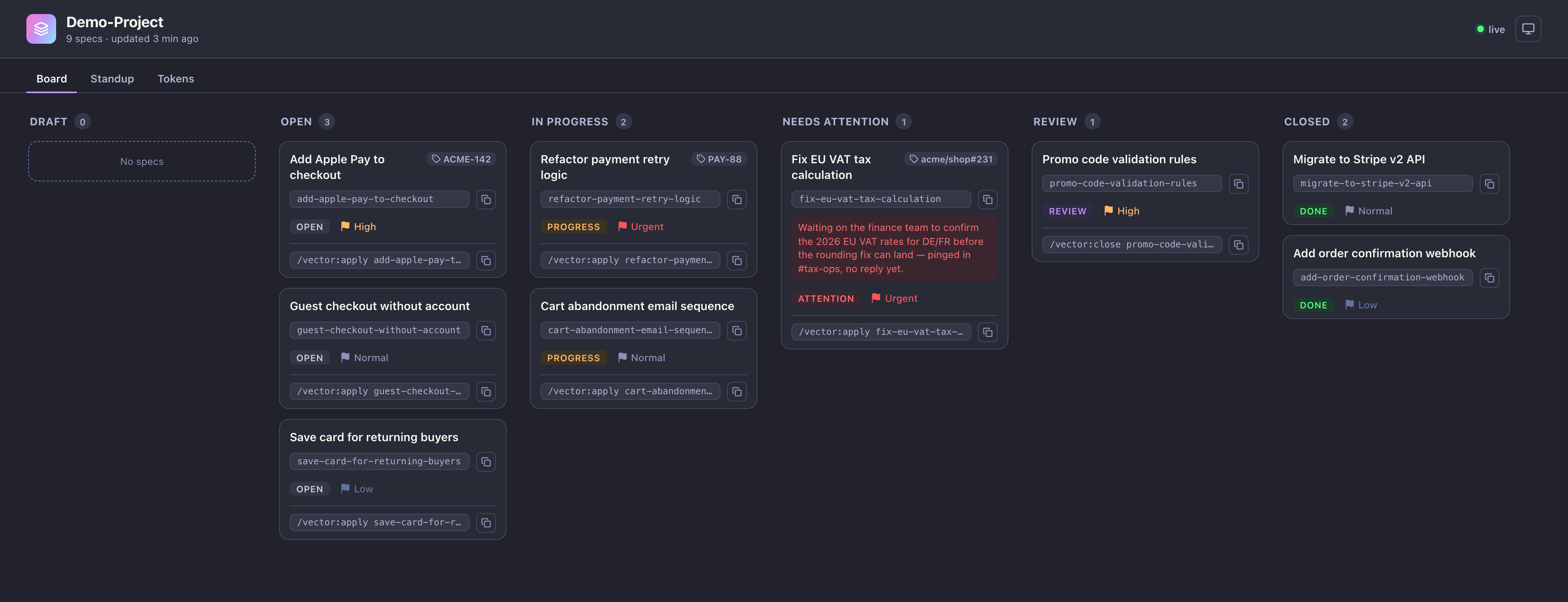
A card can carry a reference to its external ticket. You run /vector:link with a ref like ACME-142, acme/shop#231, or a full URL, and Vector parses it, infers the provider (Jira, Linear, or GitHub Issues), and stores the link on the card. The ref then shows on the board and inside the spec.
That split is the point. Jira stays the source of truth for the team: assignments, sprints, the fields your process depends on. Vector is your private view of your own work, the layer where you actually drive agents. The ticket ref is the thread between the two, so your board and the team board point at the same thing without either one owning the other.
One JSON state, rendered live
Vector ships as a single Go binary that bundles the CLI and an embedded web board. There’s no Node toolchain to install, no database to stand up, no separate service to run.
The state is one JSON record the CLI owns. The board is a projection of that record, served to the browser and updated live over SSE. There’s no second copy of the truth in a frontend cache or a database row, so what the board shows always matches what’s on disk. The CLI writes the state; the web view only reads it.
A card is a spec
Each card holds a spec, not just a title. /vector:raw <idea> turns a rough idea into a structured spec (goal, background, scope, user flow, and so on) and registers it as a draft. From there the card moves through open, in-progress, needs-attention, review, and closed. Every card carries a priority flag and the exact command to run next, so picking up work is a copy and paste.
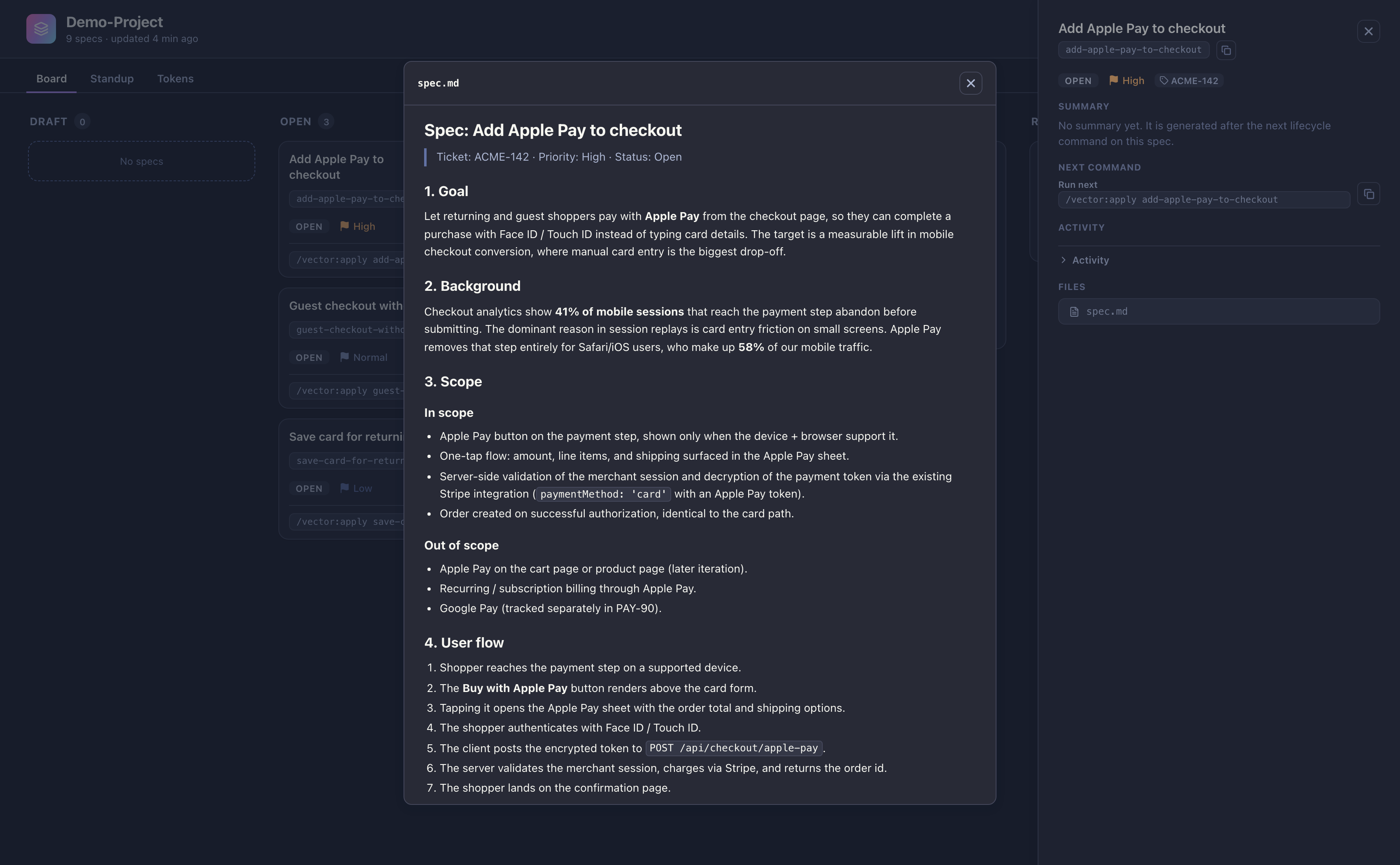
/vector:apply picks the next card by status and priority and implements it. The commands are markdown files seeded into your repo under .claude, so they run inside Claude Code as project commands and live next to the code they act on. Vector detects your build, test, and lint commands once during vector init and records them, so it stays agnostic to your stack.
Token routing
Vector treats token cost as a property of the workflow, not a cleanup task for later. Each command runs on the cheapest model that can do the job. A Haiku agent writes the standup digest and other trivial summaries; an Opus agent handles design and implementation. The board has a Tokens tab so the running cost of each spec is visible next to the work itself.
Standup from the state, not from memory
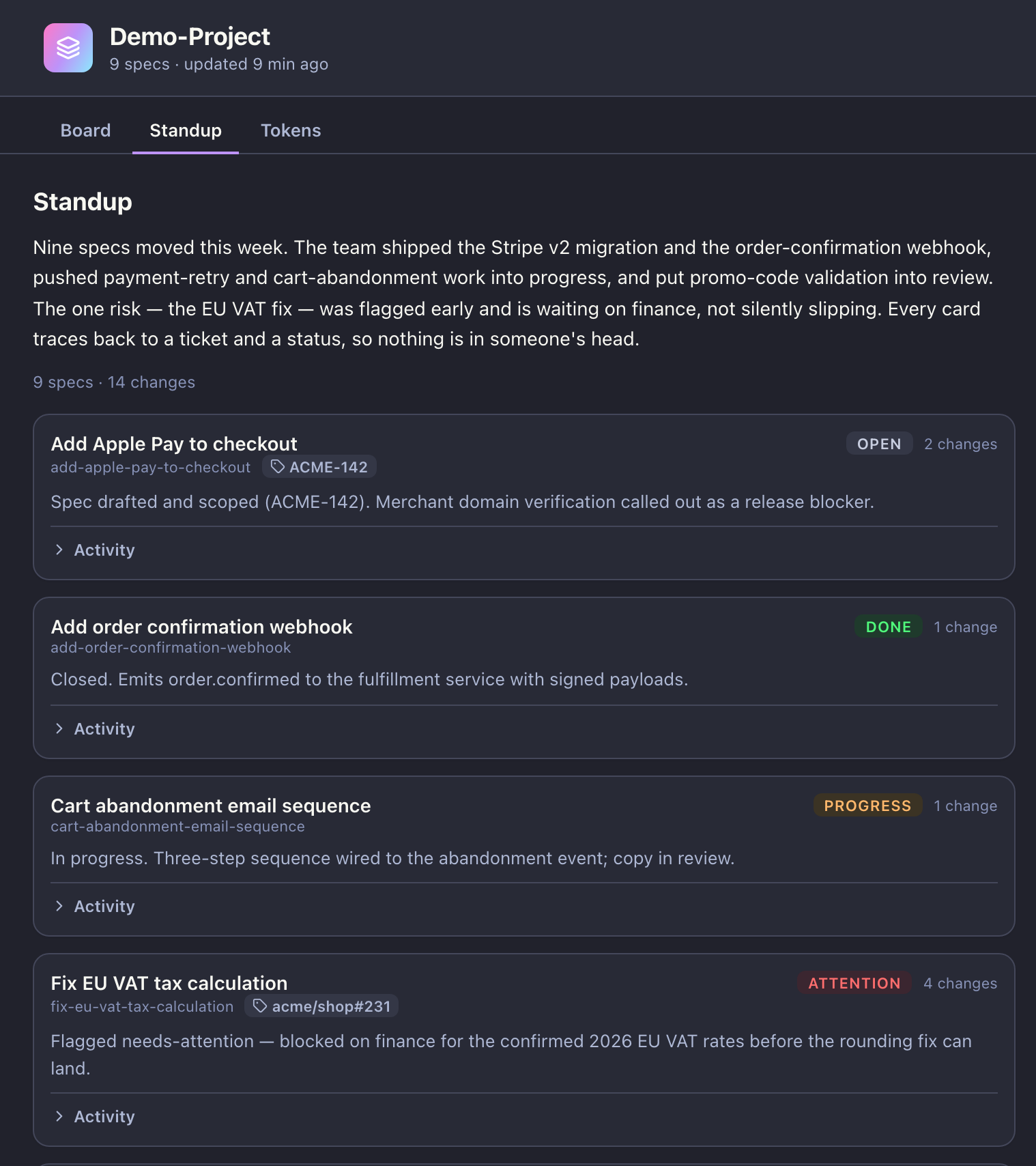
Because every change is recorded against the JSON state, Vector can project a standup instead of asking you to write one. /vector:standup reads the activity since the last run and produces a digest: what moved, what shipped, what is flagged. A cheap agent turns that projection into prose.
Try it
Vector is a single binary. Install it, point it at a repo, and link the cards to the tickets you already have:
curl -fsSL https://raw.githubusercontent.com/mcampbellr/vector/main/scripts/install.sh | shThe source and releases are on GitHub.